
Detection of Watch Case Characters and QR Codes
Experimental Requirements
- Detect both the QR code and the characters on the frame simultaneously.
- The workpiece arrival position is uncertain, requiring shots from multiple angles.
- Static imaging.
Unlit Product Appearance
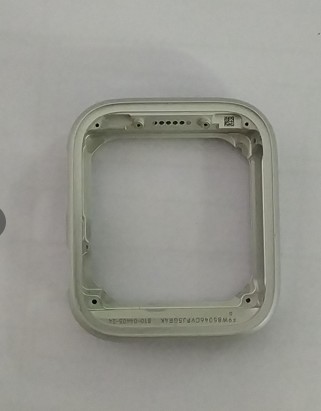
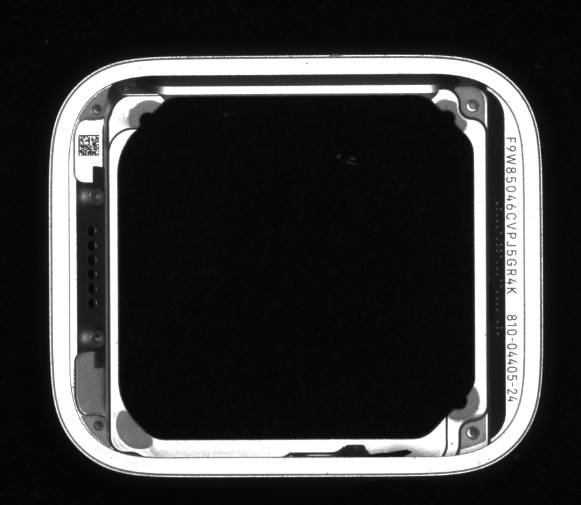
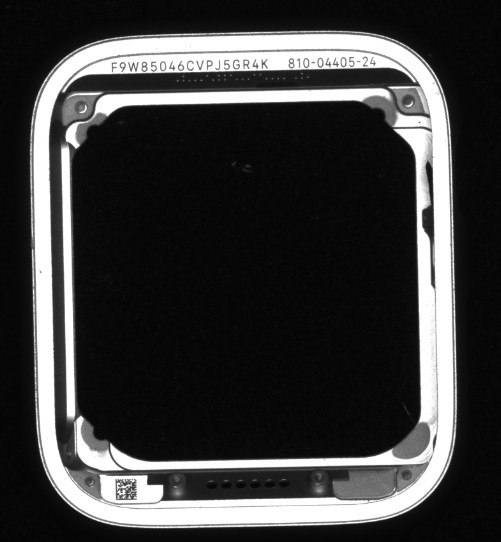
Due to the need to clearly reveal both the QR code and the characters, a blue ring light source was used. The blue light source sufficiently brings out the characters and QR code, making the metallic parts of the workpiece appear all-white, while the characters and QR code appear all-black, creating a sharp contrast between the characters/QR code and the metallic parts.
Product Lighting After Effect
Conclusion
- Lighting: For detecting characters and QR codes, no reflections should be present.
- Static Imaging: This setup requires static shots.
- Prefer Ring Light Sources: Ring lights are recommended for optimal results.
General Light Source Selection Process
- Understand Project Requirements: Identify what needs to be detected or measured.
- Analyze the Target and Background: Determine the optical phenomenon with the greatest contrast between the target and background.
- Determine Light Source Type and Color: Based on the relationship between the light source and the target, determine the type and color of the light source.
- Test with Actual Light Sources: Conduct tests to determine the ideal lighting method.
- Adapt to Site Conditions: Ensure the setup aligns with real-world conditions of the client's product.
FALenses Technology specializes in providing machine vision core hardware. You can go to the official website of FALenses Technology at https://www.falenses.com/ for more information.