
Tips for Selecting Colors in Machine Vision Light Sources
A vision inspection system comprises various components, including industrial camera lenses, CCD cameras, light sources, and software systems. Among these, light sources play a crucial role in distinguishing the object from the background to capture high-quality images. Proper selection of light source colors is essential for building a reliable machine vision system. This guide provides insights into the common colors of machine vision light sources and tips for choosing the right colors.
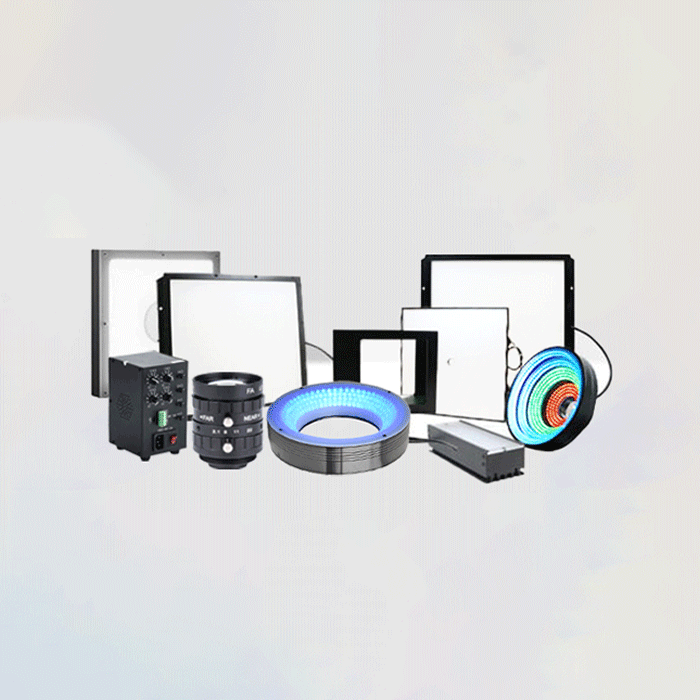
Common Colors of Vision Light Sources
Common light source colors used in machine vision systems include:
- White (W)
- Blue (B)
- Red (R)
- Green (G)
These colors represent different wavelengths, affecting how light interacts with the object and the camera sensor. Let's explore how to select the right light source colors for your application.
Tips for Selecting Colors in Vision Light Sources
Choosing the correct light source color can create sufficient contrast between the feature of interest and the surrounding areas. Here are some tips to consider when selecting light source colors:
1. Consider Complementary Colors
To maximize contrast, you can use complementary colors—colors on opposite sides of the color wheel. For example:
- Red and Green
- Blue and Orange
- Yellow and Purple
Complementary colors create high contrast, making it easier to distinguish features.
2. Consider Similar Colors
Similar colors, also known as analogous colors, are those that are next to each other on the color wheel, typically within a 90-degree range. These colors create a harmonious and less intense contrast. Examples of similar colors include:
- Red, Red-Orange, Orange
- Yellow, Yellow-Green, Green
- Blue, Blue-Violet, Violet
Using similar colors can be beneficial when a subtle contrast is desired.
3. Understand the Characteristics of Different Colors
- Red Light Source: Red LEDs are commonly used due to their long lifespan, stability, and low cost. Red light aligns closely with CCD sensor sensitivity, providing stable and reliable results.
- White Light Source: White light is suitable for general illumination and color imaging. It is created by combining different color wavelengths or using blue LED chips with yellow phosphor.
- Blue Light Source: Blue light is suitable for certain applications, especially those with silver backgrounds.
- Green Light Source: Green light is sensitive to the human eye and is suitable for red and silver backgrounds.
- Infrared Light Source: Infrared light is invisible to the human eye and is used in applications like LCD screen inspection and video surveillance.
- Ultraviolet Light Source: Ultraviolet light is also invisible to the human eye and is used for applications like document verification and scratch detection.
4. Match Light Source Color with Object Color
- If you want to emphasize certain features, choose light sources with similar colors to the target object.
- If you want to create contrast, choose light sources with contrasting colors to the target object.
Conclusion
Selecting the right color for a machine vision light source requires careful consideration of the object characteristics, desired contrast, and specific application requirements. Understanding the principles of color selection can help reduce algorithm complexity and improve system stability.
If you are unsure which color to choose for your vision system, companies like FALenses Technology can offer guidance and provide various light source options to meet your specific needs. By applying these tips, you can improve the performance and reliability of your machine vision system.
FALenses Technology specializes in providing machine vision core hardware. You can go to the official website of FALenses Technology at https://www.falenses.com/ for more information.